 SIMPLE WIRES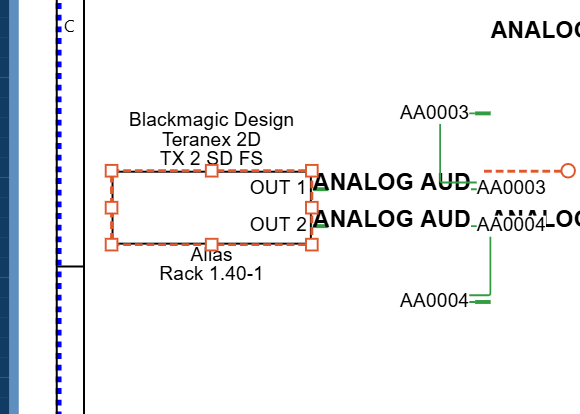
Place
Pick real equipment
Search the Master Library for the make and model you're specifying, and drop it in with its ports already named. Or draw your own block and save it for next time.
Simple Wires is a design tool for AV and broadcast systems. Draw connector-level block diagrams, lay out your racks, and get the cable schedule and bill of materials straight from the drawings. Nothing to install, and free to start.
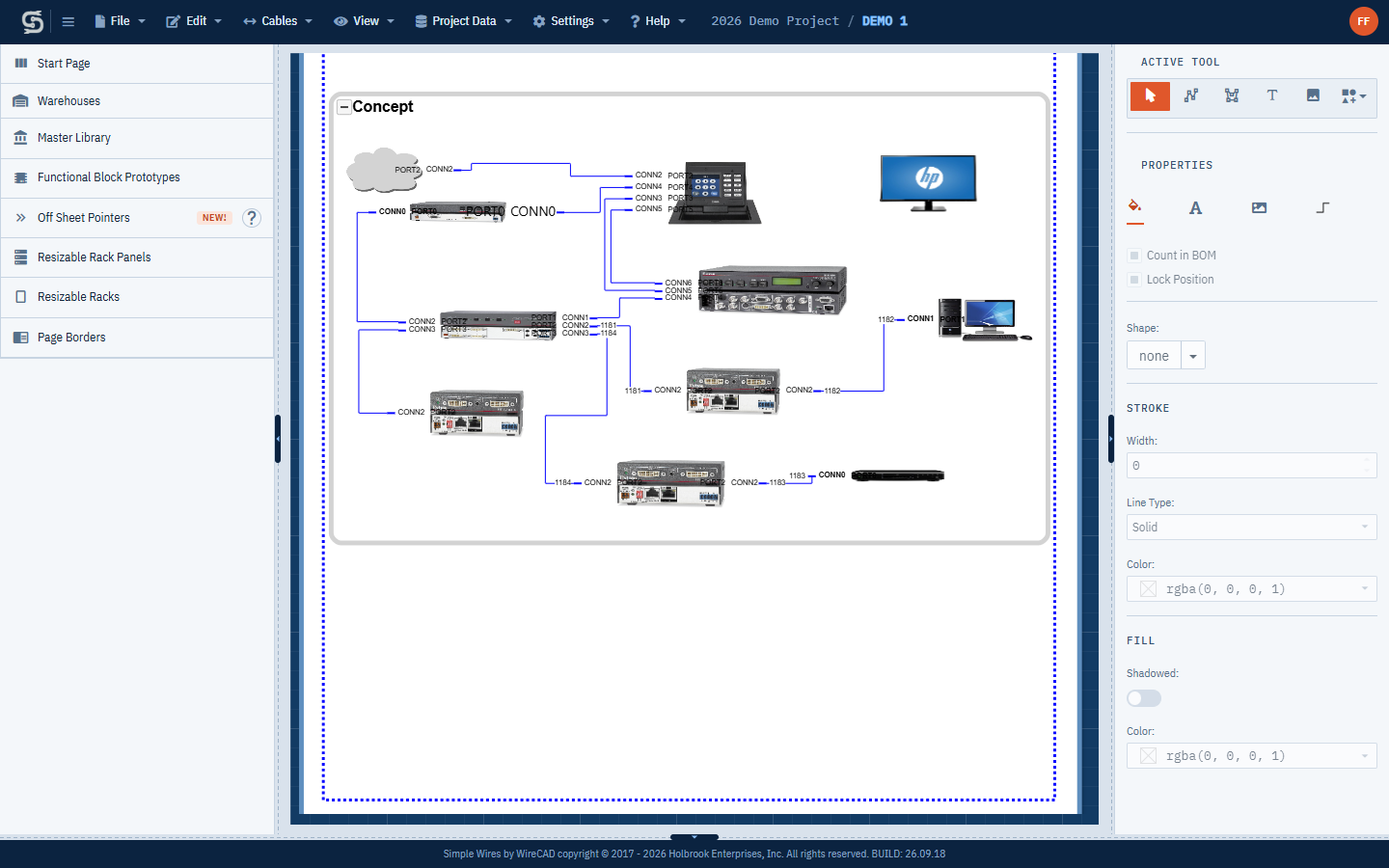
One set of drawings does the whole job. You draw the system once, and the paperwork comes from the drawings.
Search the Master Library for the make and model you're specifying, and drop it in with its ports already named. Or draw your own block and save it for next time.
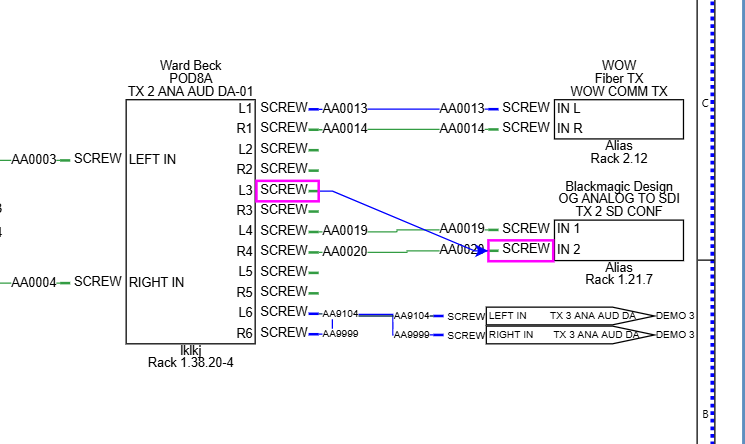
Drag cables between ports. Signal types set the colour and cable type, and cables are numbered for you. Terminals finish each run: a jack, a microphone, an adapter, or an off sheet pointer onto another page.
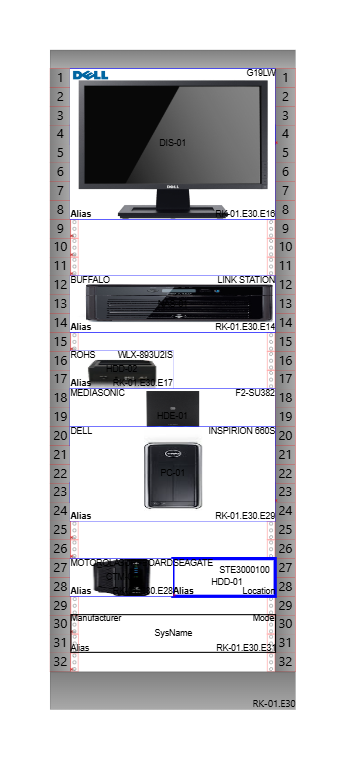
Drop panels into a rack sized in rack units. Each panel's location fills itself in, and follows it when you move it.

Equipment list, cable schedule and bill of materials, ready for Excel. Print or export the drawings to PDF or DWG with your title block.
The switcher on your schematic and the switcher in rack 11 are the same box, and Simple Wires keeps them in step. Rename it, change the model or move it to another rack on any sheet, and the others follow.
A block gets a device code when you name it. Assign its rack panel, or the same box on another schematic, to that device.
Edit on any sheet or in the equipment list. Name, make, model, alias, location and your own fields reach every member.
Show Me jumps between the sheets, and a report lists every object an edit reached, with anything that failed at the top.
A jack in the patchbay, a microphone on stage, an SFP cage that takes LC fibre. Terminals are small symbols for one end of a cable, and they belong to the equipment they stand for, so they wire, name and count like any block.
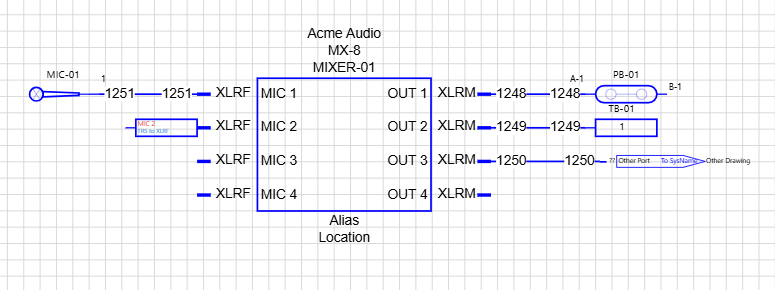
Place terminals puts a jack, end point or pointer past every free port of a block and cables it, ready to name.
Select a run of jacks and assign them to the patchbay. Ports are named A-1, B-1 and on down the sheet, or picked from the device.
Put an SFP to LC or RCA to XLR adapter on a port. The cable schedule shows it at the cable's end, and the bill of materials lists it.
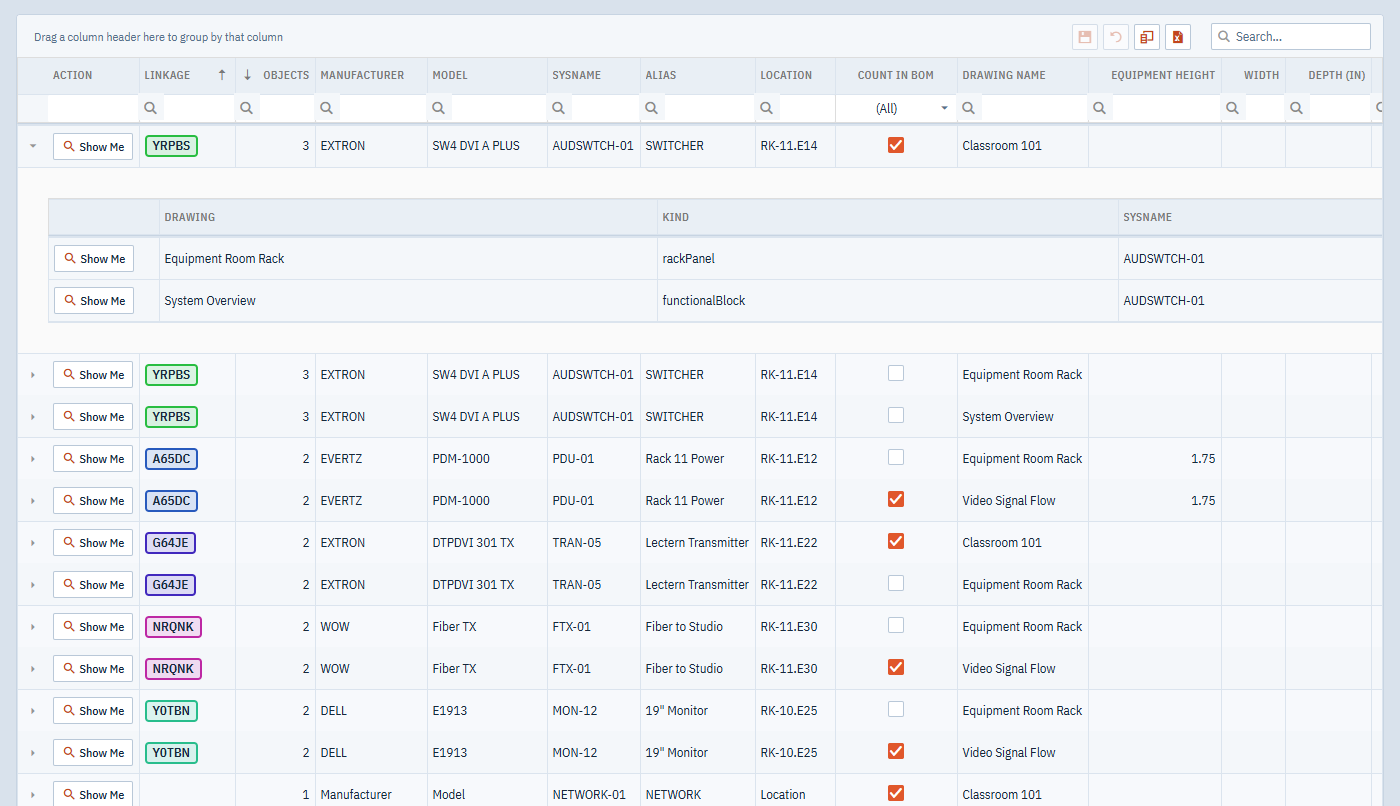
Every drawing in the project feeds three tables, so they're never out of date. Sort, filter and group them, edit them in place, and export them to Excel.
One row for each piece of equipment on every sheet. Fix a name or a location here and it's fixed on the drawing, on its cables, and on every sheet that shows the same device.
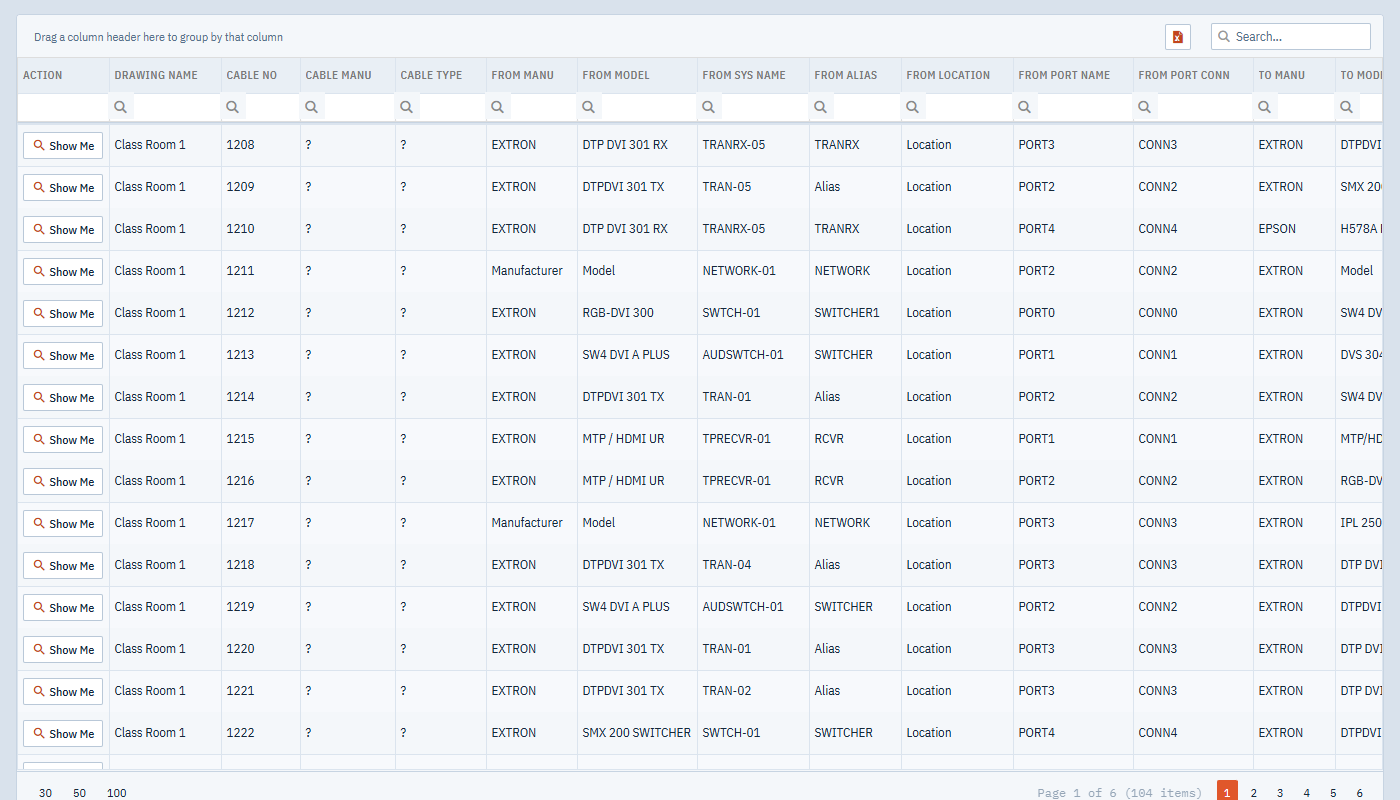
Every cable with its number, signal type, length and cable type, and the equipment, port and connector at each end. It's the list you hand to the installer.
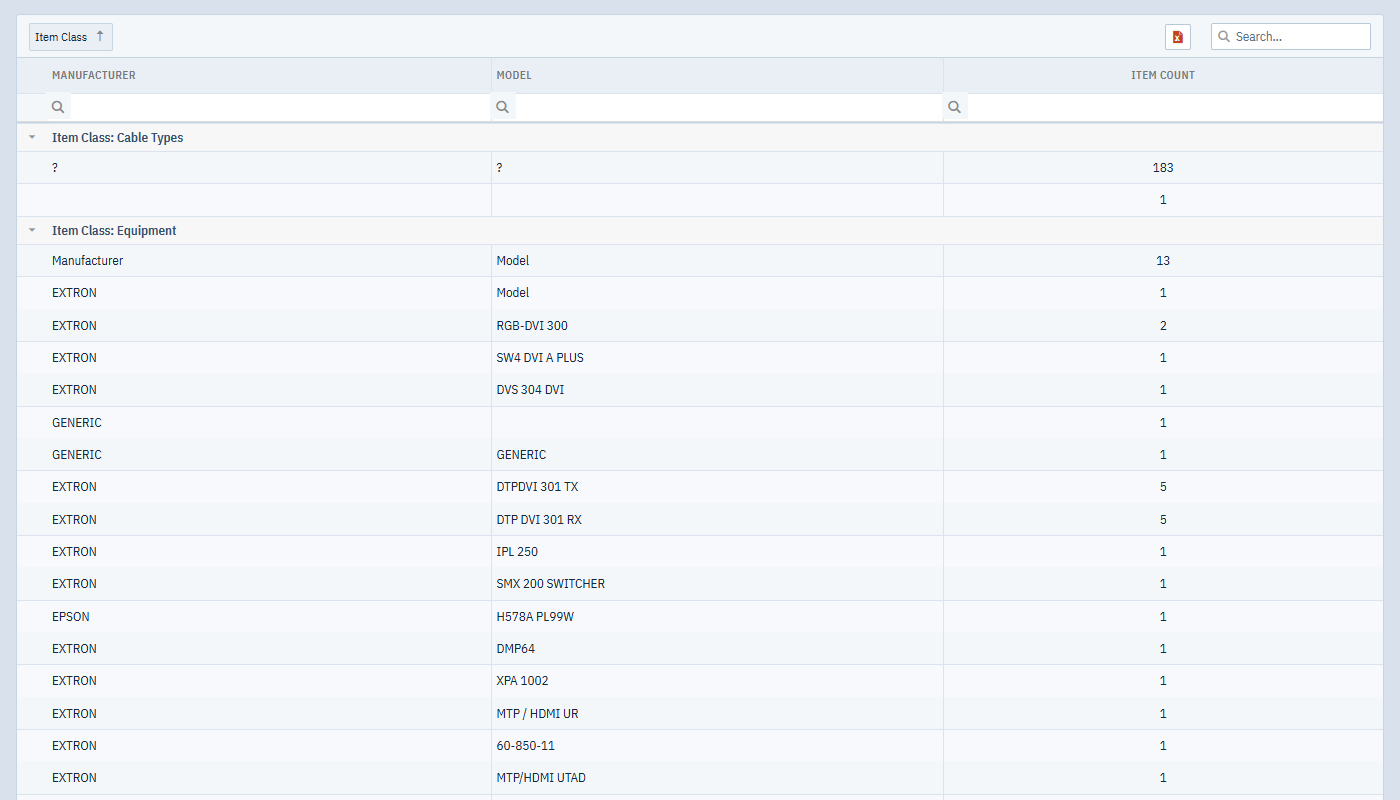
Counted fresh from the saved drawings every time you open it, grouped by what you're buying.
The things you'll use on every job, whether you work alone or with a team.
Your drawing saves itself a few seconds after each change, on every plan.
The last 64 saves of every drawing are kept, so you can go back.
Share a project, set who can edit or view, and draw together live.
Your own fields on blocks and cables, such as serial, IP, BTU or test status.
Split a large system across pages and still follow every cable.
Personal and project shelves for blocks, racks and borders you reuse.
Workshop, Paper, Studio or Blueprint. Choose whichever is easiest on your eyes.
A full manual that opens next to your drawing, at the right topic.
Free and the Team trial don't need a credit card.
Try it on a real drawing.
For one designer on smaller jobs.
For one designer on real jobs.
For a group working on shared projects.
For organizations with many teams.
Add projects, drawings and seats with add-ons. Archived projects don't count toward your limit.
No. Simple Wires runs in any modern browser, and your projects are stored online so you can pick them up anywhere.
The Master Library holds thousands of blocks contributed by Simple Wires users, with their ports named. If something's missing, draw it once and save it to a warehouse for next time.
Yes. Share a project and choose who can edit and who can only view. On paid plans, everyone with the drawing open sees changes as they happen.
Printed drawings and PDF or DWG exports with your title block, plus the equipment list, cable schedule and bill of materials in Excel.
Your account moves to the Free plan, and you carry on working in your first project.
Free to start, in the browser you already have.